
What Is Audio Encoding? Complete Guide
I’m Peter, a developer and music lover who cares about getting the best sound experience on my phone. One thing I quickly learned about digital sound is that raw audio files are extremely large. Without proper compression and formatting, even a short recording can take up significant storage space and be difficult to upload or stream efficiently.
Audio encoding is the process that transforms raw sound into a digital format optimized for storage, sharing, and streaming. Platforms like SoundCloud rely on encoding to ensure creators can upload tracks smoothly and listeners can enjoy uninterrupted playback. Whether you produce music, publish podcasts, or manage audio content online, understanding how encoding works helps you preserve sound quality while improving performance and efficiency.
What Is Audio Encoding
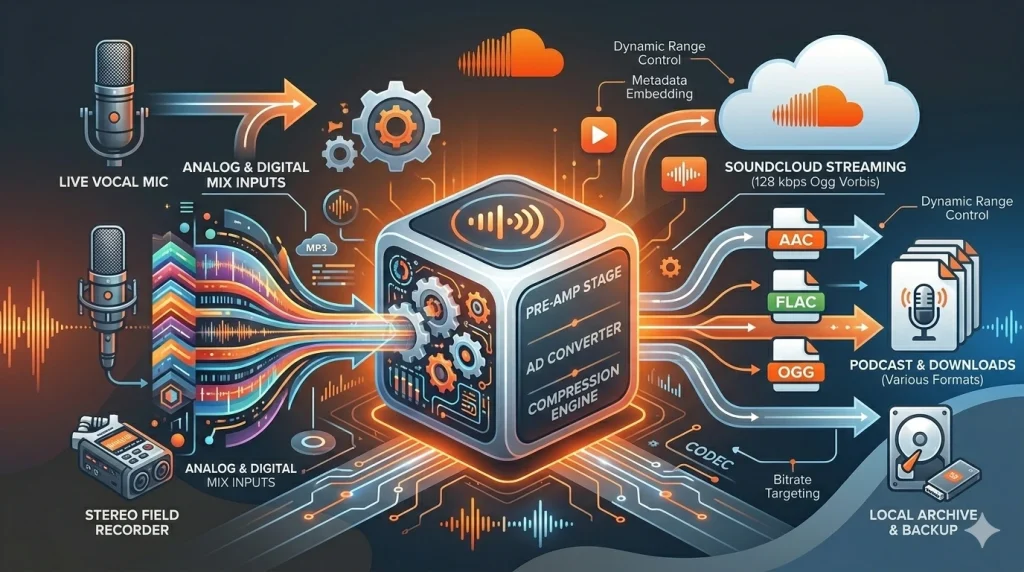
In simple terms, audio encoding is the method I use to convert analog or raw digital sound into a compressed digital file. The encoder works with a codec, which means coder-decoder. Its job is to reduce file size while keeping the sound as clear as possible.
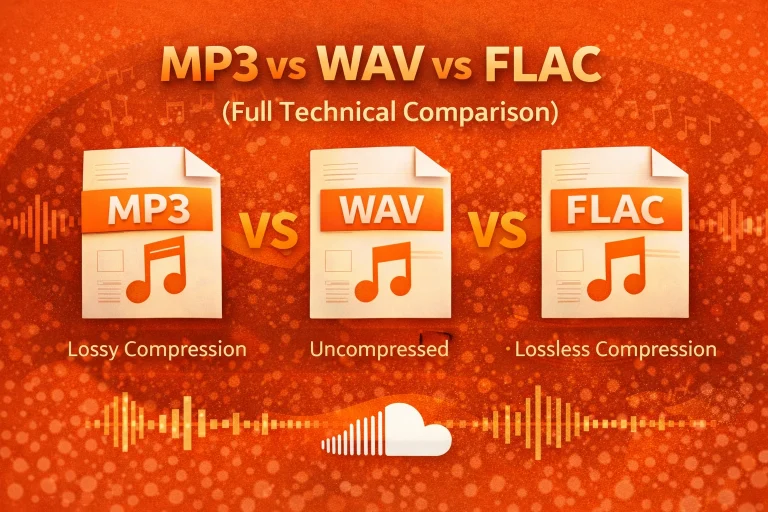
I usually work with formats like MP3, AAC, WAV, FLAC, and AAC codec. Each format uses a different type of digital audio compression. Some formats are better for small file sizes, while others focus on preserving full quality.
Why It Matters
From my experience, encoded audio loads faster and uses less storage. This is very important for mobile users and streaming platforms. Without encoding, sound files would be too large for smooth playback.
Streaming services such as SoundCloud depend on efficient audio codecs to reduce bandwidth use. I have seen how proper bitrate settings can improve streaming audio quality while keeping file sizes manageable. That balance makes a big difference in user experience.
How It Works
Sound begins as analog waves. When I record audio, a microphone turns those waves into electrical signals. Then those signals are converted into digital data through sampling.
Sampling captures sound thousands of times per second. For example, CD-quality audio uses 44,100 samples per second (44.1 kHz) per channel. After that, compression removes audio details that most people cannot hear I explain the full workflow in my guide on how audio compression works.. As a result, the file becomes smaller and easier to store or stream.
Key Concepts and Data
Important Definitions
Codec – Software or hardware that compresses and decompresses digital audio.
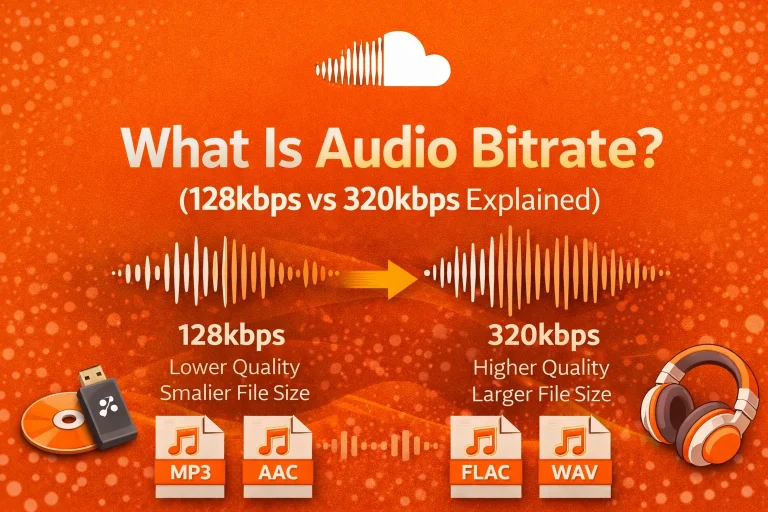
Bitrate – The amount of data processed per second, measured in kilobits per second (kbps).
Sampling Rate – The number of audio samples captured per second, measured in kilohertz (kHz).
Lossy Compression – A method that removes some sound data to reduce file size.
Lossless Compression – A method that preserves all original sound data.
Bitrate Comparison Table
| Bitrate (kbps) | Typical Use Case | Quality Level | Approx. 3-Min File Size |
| 96 kbps | Voice recordings | Basic | ~2 MB |
| 128 kbps | Standard streaming | Moderate | ~3 MB |
| 192 kbps | Music streaming | Good | ~4–5 MB |
| 320 kbps | High-quality MP3 | Very Good | ~7–8 MB |
In my testing, a higher bitrate improves clarity but increases file size. Lower bitrate saves storage but may reduce detail.
CBR vs VBR in Audio Encoding
When I encode audio, I often choose between Constant Bitrate (CBR) and Variable Bitrate (VBR). Both control how data is distributed across the file. However, they behave differently.
CBR keeps the same bitrate from start to finish. VBR adjusts the bitrate based on how complex the sound is. Quiet sections use less data, while detailed sections use more.
| Type | How It Works | Best Use Case | File Size Predictability |
| CBR | Fixed bitrate | Streaming and broadcasting | Predictable |
| VBR | Dynamic bitrate | Music and high-quality playback | Less predictable |
In my experience, CBR works well for stable streaming. VBR usually delivers better sound quality at a similar average file size.
Lossy vs Lossless Compression Comparison
I choose between lossy and lossless compression depending on the goal. The difference affects both sound quality and storage space.
Lossy compression removes data that most listeners cannot notice. Lossless compression keeps the full original signal.
| Feature | Lossy Compression | Lossless Compression |
| File Size | Small | Larger |
| Sound Quality | Slightly reduced | Original preserved |
| Common Formats | MP3, AAC | FLAC, ALAC |
| Best For | Streaming and mobile use | Archiving and editing |
For streaming, lossy formats are practical. However, during editing and mastering, I prefer lossless formats to protect every detail.
How Audio Encoding Affects Streaming Performance
I have seen how encoding directly affects buffering and playback stability. Smaller files load faster and use less mobile data. Therefore, proper compression improves user experience.
Many streaming systems use adaptive bitrate technology. This allows sound quality to adjust automatically based on the internet speed. As a result, playback remains smooth even on slower connections.
Efficient encoding also reduces server load and bandwidth usage. That is why choosing the right codec and bitrate is essential for modern audio platforms. That is why I also wrote about the best audio format for streaming based on real-world testing
Common Problems
I have noticed that audio encoding can reduce quality if the settings are too low. This often happens with lossy formats like MP3. If I compress a file multiple times, distortion may appear.
Low bitrates can remove important sound details. Background instruments or sharp tones may lose clarity. Sometimes, unsupported file formats also cause playback problems on certain devices.
Pros and Cons
Here are the main advantages and limitations I consider:
- Smaller file size and faster streaming
- Easy sharing across devices
However, there are trade-offs:
- Possible loss of sound detail
Quality depends on bitrate and codec
Pro Tips
When I choose bitrate settings, I match them to the purpose. For music streaming, I prefer 192 kbps or 256 kbps for a strong balance. For voice recordings, 96 kbps is often enough.
I always keep a high-quality original file. Instead of re-encoding the master file, I create compressed copies. This protects the original audio from repeated quality loss.
Wrapping Up
From my experience, audio encoding is essential for modern digital sound. It converts large audio recordings into efficient files that are easy to store and stream. Without encoding, online audio sharing would not work smoothly.
By understanding codecs, compression types, and bitrate settings, I can protect sound quality while improving performance. Whether I upload music, manage podcasts, or optimize streaming systems, proper audio encoding makes the entire listening experience better.
Frequently Asked Questions (FAQs)
1. Is audio encoding safe?
Yes, audio encoding is safe. It is a standard technical process used in digital audio systems. I use trusted software to avoid file corruption.
2. Is audio encoding legal?
Yes, encoding itself is legal. It is simply a method of converting audio into digital formats for storage or streaming.
3. Does audio encoding work on mobile devices?
Yes, most smartphones support common formats such as MP3 and AAC. From my experience, modern streaming apps are fully optimized for mobile playback.
4. Why does audio encoding sometimes fail?
Encoding can fail due to unsupported codecs, corrupted files, or incorrect bitrate settings. I have also seen failures caused by low device memory or limited processing power.
5. What are the alternatives to audio encoding?
There is no true alternative in digital systems. However, I can choose between lossy and lossless formats depending on my quality needs.
6. Which format is best for streaming?
In most cases, I recommend AAC or MP3 for streaming. They offer strong compatibility and efficient file sizes.