
 Татар теле
 Bahasa Indonesia
 Bahasa Melayu
 Cebuano
 Dansk
Dansk Deutsch
 English
 Español
 Français
 Italiano
 Nederlands
 Română
 Tiếng Việt
 Türkçe
 Czech
Czech Ślōnskŏ gŏdka
 Ukrainian
 العربية
 Thai
Thai Portugues
 Hindi
Hindi Greek
Greek Chinese
 Japanese
 Magyar
YOUR AUDIO, YOUR WAY
SoundCloud to MP3 & Audio ToolsSoundCloud to MP3 & Audio Tools
Simple. Fast. Yours.
Convert SoundCloud links to MP3 and download high-quality audio with SCloud
Convert SoundCloud links to MP3 and download high-quality audio with SCloud — a fast SoundCloud to MP3 downloader supporting tracks, playlists, MP3 up to 320kbps, WAV, FLAC, and M4A.
3 free downloads
No account needed
3 free downloadsNo account needed
5 free downloadsWith a free account
After 3 downloads
★★★★★4.8/5 · Trusted by Music Lovers
Your free downloads0/3 used
Unlimited downloadsWORKS WITH ALL YOUR DEVICES
WindowsmacOSAndroidiOSAny Browser
Join Community • Get Playlists & Pro Access
Join Free
Tool Features
High-Quality MP3 Conversion
Quickly convert SoundCloud clips to clear, high-quality MP3 files without losing any audio details.
Free & Fast Downloads
Enjoy free unlimited non-copyrighted SoundCloud downloads with lightning-fast conversion speed.
Unlimited Use
Download and convert as many SoundCloud tracks as you want—no limits, no restrictions.
Safe & Secure
Download your favorite tracks with complete safety and privacy using our secure conversion system.
Ad-Free Experience
Enjoy a clean, distraction-free downloading experience with absolutely no ads.
Easy to Use Interface
Navigate and download effortlessly with our simple, user-friendly interface.
Step-by-Step: How to Convert SoundCloud to MP3 on DownloadsCloudMP3.com
Right here, I answered your question “how to download music from SoundCloud to mp3” So, let me guide you through it — I made this as simple as possible, so anyone can do it:
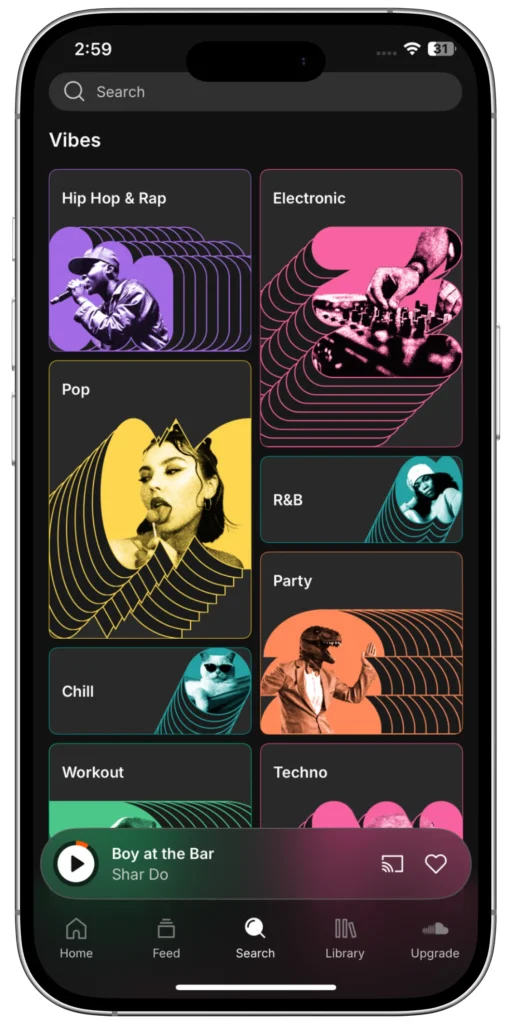
1) Find Your Track on SoundCloud
Head over to SoundCloud and find the song or mix you want to save. It can be anything — from the newest indie hit to your favorite podcast.
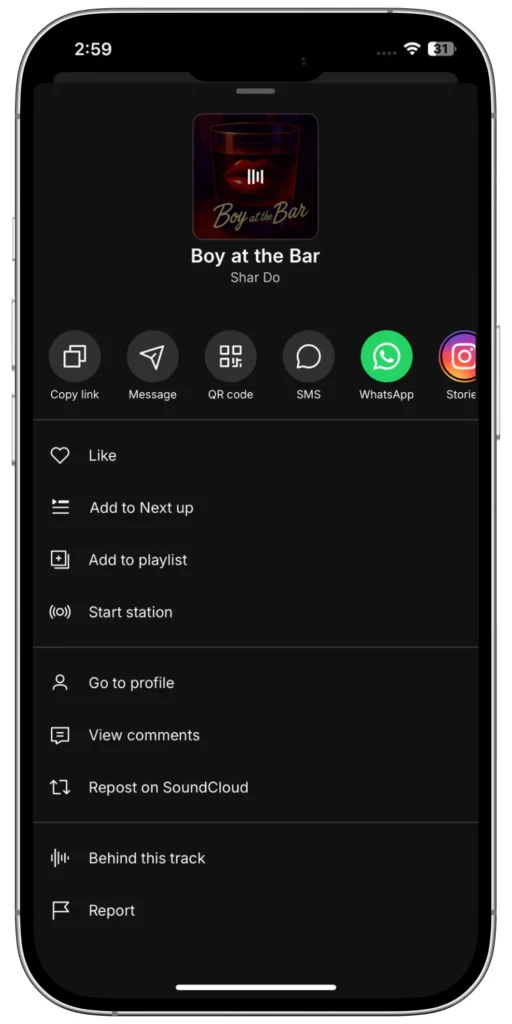
2) Copy the Track URL
Look at your browser’s address bar and copy the entire URL of the track page. It’ll look something like: https://soundcloud.com/artist-name/song-title
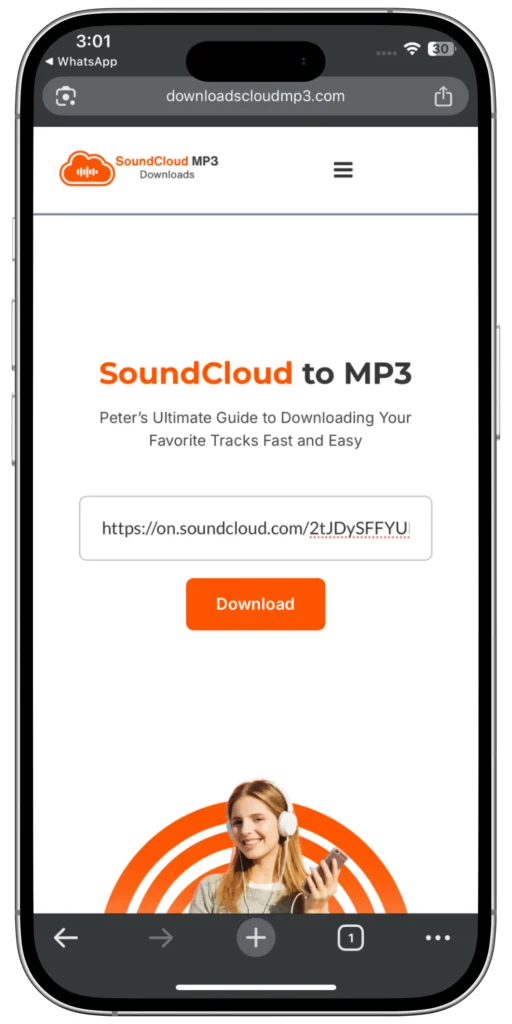
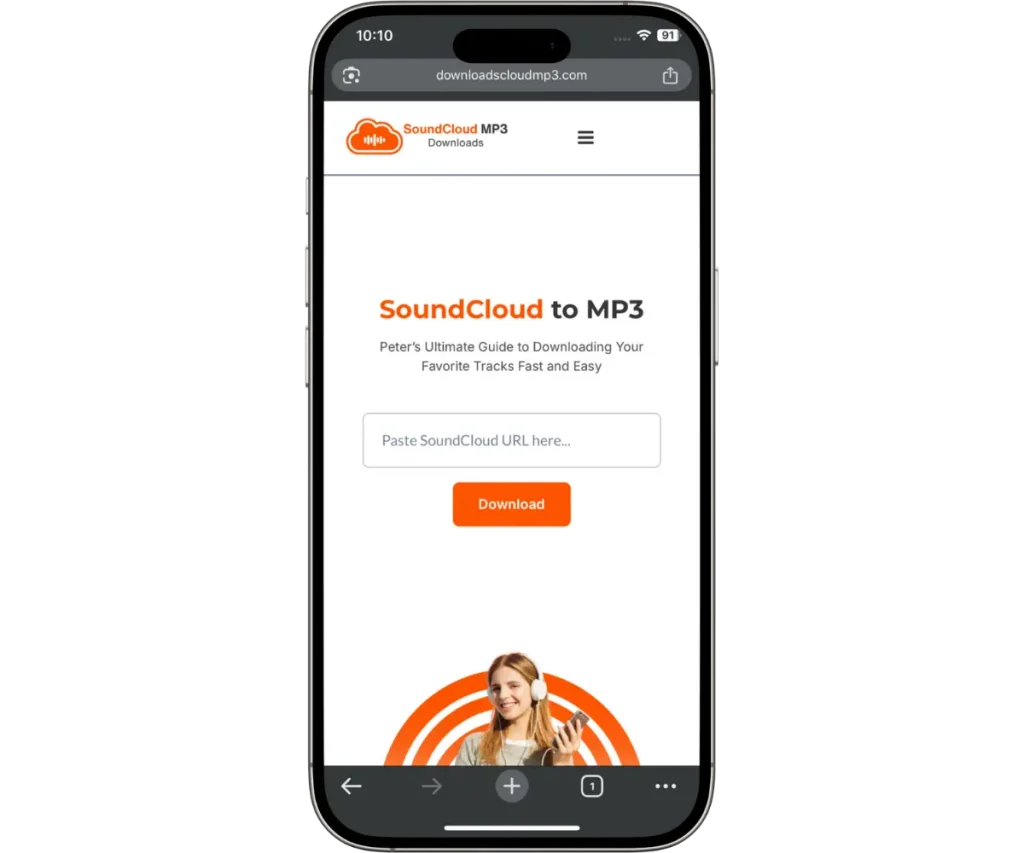
3) Paste the URL into DownloadsCloudMP3.com
Paste the URL into the big input box right on the homepage.
4) Select Your Desired MP3 Quality
Choose the audio bitrate you want — I usually recommend 320 kbps for the best quality & it’s automatically set to highest quality already, so you don’t have to worry about it!
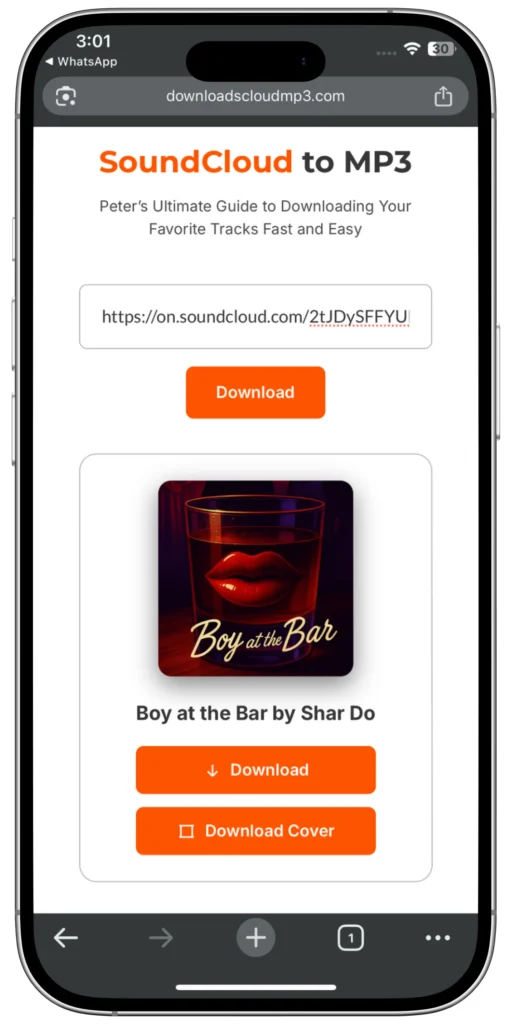
5) Hit “Download” and Enjoy!
Click the download button, wait a few seconds while the conversion happens, and your MP3 file will be ready to save.

Why Convert SoundCloud to MP3? Here’s My Story
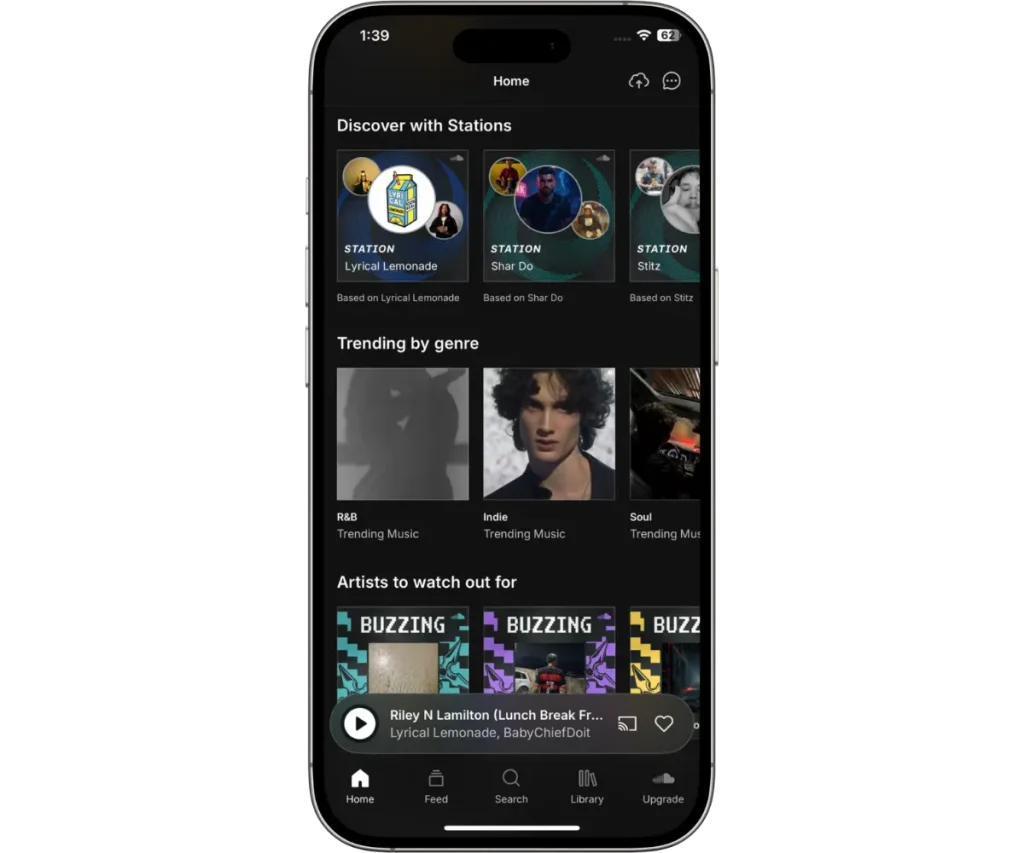
I’m sure you love discovering fresh music on SoundCloud, just like me. The platform is packed with amazing artists sharing original tracks, remixes, and podcasts. But the one big pain point? You can’t always download the music to listen offline.
I wanted a solution that’s quick and straightforward — one that doesn’t make me jump through hoops or download sketchy software. So, I built a tool that takes a SoundCloud URL, converts the track instantly, and lets you download SoundCloud MP3 files in high quality. No account, no waiting.
This tool isn’t just for me — it’s for you and anyone who wants to save music the right way.
What Exactly Is SoundCloud to MP3 Conversion?
Let’s break it down. SoundCloud streams music in various formats, but mostly through web or app players — meaning you need internet to listen. When you convert SoundCloud to MP3, you’re basically:
- Taking the music track’s online audio data,
- Extracting it from SoundCloud’s system,
- And turning it into an MP3 file that you can download and save on any device.
MP3 is the most popular audio format worldwide because it’s compatible everywhere — from smartphones and computers to car stereos and MP3 players. It keeps file sizes small while maintaining good audio quality.
So converting SoundCloud songs to MP3 means you get freedom — listen anywhere, anytime, offline or without streaming data.

SoundCloud to MP3 Playlists? Yes, We Support That Too
Sometimes you want to download not just a single track but an entire playlist. Maybe you found a curated set of tunes or a podcast series.
No worries — just copy the playlist URL and paste it into our converter exactly the same way. The tool will process all the tracks and let you download them individually or in bulk, depending on your preference.
About Us
Hey there! I’m Peter — a developer and music lover who spent way too much time hunting for a solid way to convert SoundCloud to MP3. I know the frustration of trying dozens of tools that either don’t work, load tons of annoying ads, or give you poor quality audio. That’s why I created DownloadsCloudMP3.com, a fast, free, and safe SoundCloud MP3 downloader designed to get you the music you want — hassle-free.
If you’ve ever asked yourself how to download SoundCloud songs for offline listening or wanted to save your favorite tracks without fuss, this guide is for you. I’ll walk you through everything from what the tool does, how to use it, and tips to get the best sound quality. Plus, I’ll sprinkle in all the useful info on SoundCloud to MP3 conversion that I wish I’d known before.

Get the Best Sound Quality From Your Downloads — My Pro Tips
Why I’m Proud of DownloadsCloudMP3.com — And Why You’ll Love It Too
As a developer, I poured my heart into building a tool that does one thing really well: help you convert SoundCloud to MP3 easily. No fluff, no gimmicks, just straightforward service with a clean design.
- Speed: So you’re not waiting forever.
- Quality: Because music deserves to sound great.
- Privacy: Your data stays with you.
- Simplicity: Anyone can use it — no tech skills needed.
It’s a tool built from my own need, and now it’s here to solve your SoundCloud downloading struggles.

How to Organize and Use Your Downloaded SoundCloud MP3s
Once you’ve downloaded your tracks, here’s how to get the most out of them:
1) Create Playlists on Your Device
Use your music player app to organize by genre, mood, or artist.
2) Back Up Your Music
Save your MP3 files on cloud storage or external drives so you never lose them.
3) Edit Metadata
Use free tools like Mp3tag to add cover art, song titles, and artist names — it makes your library look neat.
4) Use in Projects
If you’re a creator, you can use downloaded MP3s for personal remixing or offline playback.
More About SoundCloud MP3 Downloader Features You’ll Appreciate
- No Watermarks or Limits: What you download is clean, full tracks — no cuts or tags.
- Fast URL Processing: We keep the conversion backend efficient, so even popular tracks convert quickly.
- Support for All SoundCloud URL’s: Singles, mixes, remixes, and playlists.
- No Software Installation: Works completely online from your browser.
Frequently Asked Questions (FAQs)
Wrapping Up: Your Go-To SoundCloud to MP3 Solution
If you’ve read this far, you’re ready to start downloading your favorite free SoundCloud music easily and safely. DownloadsCloudMP3.com was built with you in mind — the music lover, the casual listener, the creator wanting offline access.
I’m Peter, and I promise this tool will make your music experience smoother, faster, and more enjoyable.
Go ahead, try it now — paste your first SoundCloud link, pick your quality, and hit download. If you have questions or ideas, I’m just a message away.
Happy listening!