
Best Audio Format for Streaming: Complete Guide
I’m Peter, a developer who regularly evaluates audio formats to ensure the best performance on smartphones. Audio streaming is part of my daily routine. I listen to music, podcasts, and live sessions on platforms like SoundCloud from my phone and laptop. Over time, I kept asking myself one question: What is the best audio format for streaming?
I learned that choosing the best audio format for streaming directly affects sound quality, loading speed, and file size. If a file is too large, it buffers. If it is compressed too much, the sound loses detail. In this guide, I will explain what works best based on research and real-world testing. My goal is to help creators make smarter audio decisions
What Is the Best Audio Format for Streaming?
From my experience, the best audio format for streaming is AAC at 256–320 kbps for music. When I work with podcasts or voice content, AAC or MP3 at 128 kbps performs well. These settings give me clear sound without slowing down playback. I explain the efficiency of this codec fully in my guide on the AAC format.
I have noticed that platforms like SoundCloud re-encode uploaded files for smoother streaming. Because of that, I always upload a high-quality master file. This helps maintain clarity after processing.
Why the Best Audio Format for Streaming Matters
In my experience, the best audio format for streaming affects clarity, buffering, and storage efficiency. A poor format choice can create distortion or slow playback. A well-optimized file makes streaming smooth, even on slower connections.
When I upload to SoundCloud, I focus on fast playback and stable sound. Smooth streaming improves listener experience. A better experience often leads to longer listening time.
Streaming Format vs Upload Format
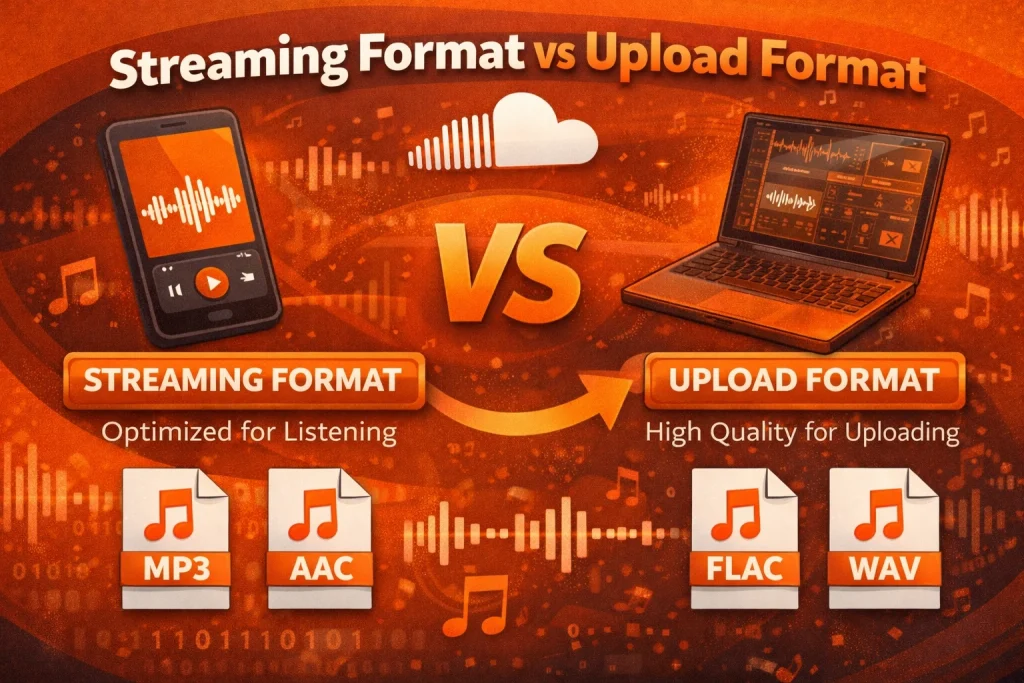
I used to think the upload format and streaming format were the same. Later, I learned they are different. I usually upload WAV or high-bitrate AAC files, and the platform converts them into compressed formats for delivery.
For example, when I upload a WAV file to SoundCloud, it gets processed into an optimized streaming version. This improves playback speed while keeping quality. That is why I always upload a strong master file.
Music vs Podcast Streaming Formats
When I stream music, I prefer a higher bitrate to protect detail and stereo depth. I usually stay between 256 kbps and 320 kbps for songs with complex instruments.
For podcasts, I do not need such a high bitrate. I have tested voice recordings at 96–128 kbps in mono format, and they sound clear. This also reduces file size and improves mobile streaming.
How Audio Streaming Formats Work
I understand audio streaming as a balance between quality and size. Compression removes data that most listeners cannot hear. Smaller files load faster and use less internet data.
There are two main compression types:
- Lossy compression removes some audio information to reduce file size, such as MP3 and AAC.
- Lossless compression keeps all original audio data, such as WAV and FLAC.
From what I have observed, streaming services prefer lossy formats because they deliver a strong balance between speed and clarity. This entire process is part of what we call audio encoding.
Audio Format Comparison
Here is the comparison I rely on when choosing formats:
| Format | Compression Type | Typical Bitrate | File Size (3-min song) | Streaming Suitability |
| MP3 | Lossy | 128–320 kbps | 3–7 MB | Good |
| AAC | Lossy | 128–320 kbps | 3–6 MB | Very Good |
| WAV | Uncompressed | 1411 kbps | 30–35 MB | Upload Master Only |
| FLAC | Lossless | 700–1000 kbps | 15–20 MB | Archive Use |
| Opus | Lossy | 64–160 kbps | 2–4 MB | Excellent for Adaptive Streaming |
To me, bitrate means how much audio data is processed each second. Higher bitrate usually improves sound but increases file size. For a deeper technical breakdown, see my MP3 vs WAV vs FLAC comparison.
I also understand that many services use adaptive bitrate streaming. This adjusts quality based on internet speed. If bandwidth drops, playback shifts to a lower bitrate to prevent buffering.
Pros and Cons of Popular Streaming Formats
MP3
Pros: Widely supported and small file size.
Cons: Slight loss of detail compared to newer formats.
AAC
Pros: Better sound quality than MP3 at similar bitrates.
Cons: Slightly higher processing demand.
WAV
Pros: Uncompressed and high quality.
Cons: Large file size, not ideal for direct streaming.
FLAC
Pros: Lossless compression with a smaller size than WAV.
Cons: Less common for final streaming delivery.
Real-World Application
In one test, I uploaded a WAV file to SoundCloud. The platform encoded it into an optimized streaming format for listeners. The playback was fast and clear.
In another test, I uploaded a 128 kbps MP3. After processing, the track sounded less detailed. That experience taught me the value of high-quality uploads.
Pro Tips
I always upload WAV or high-bitrate AAC for best results. I avoid low-quality MP3 uploads. For music, I stay within 256–320 kbps.
Before publishing, I test playback using mobile data. Many listeners use smartphones. If it sounds clear on slower networks, I know the format choice works.
Key Takeaways
Based on my testing and research, the best audio format for streaming depends on the type of content. For music, I choose AAC at 256–320 kbps. For podcasts, 128 kbps usually provides clear voice playback.
Uploading a high-quality master file improves final streaming results, especially on platforms like SoundCloud. I have learned that small technical choices make a big difference. The right format reduces buffering, protects clarity, and improves listener experience.
Frequently Asked Questions
What is the best audio format for streaming music?
From my experience, AAC at 256–320 kbps works best for streaming music. It provides strong clarity and efficient compression.
Is using MP3 or AAC safe for streaming?
Yes. I use these formats regularly. They are standard digital audio technologies supported across platforms.
Is it legal to stream audio in these formats?
Yes. Audio formats are technical standards. I always make sure I have proper rights before distributing content.
Does AAC work on mobile devices?
Yes. I have tested AAC on Android, iOS, and web browsers. It works smoothly across devices.
Why does audio quality sometimes drop after upload?
In my experience, quality drops due to double compression. Uploading low-quality files leads to further reduction during platform processing.
What are alternatives to MP3 and AAC?
When I need maximum quality, I use WAV or FLAC for storage and mastering. For advanced streaming systems, Opus is another efficient option.